For decades, the idea of a car getting better after it left the dealership was unheard of. You bought a vehicle, and that was it — short of a physical recall or a DIY modification, your car would never gain a new feature. Tesla completely flipped that script with its software-first approach. By treating the vehicle’s infotainment system like a smartphone, the company has rolled out massive, game-changing features for free over the years.
As we look back at the history of these updates, the community is currently waiting for what could be the ultimate “final boss” of Tesla software: Unsupervised Full Self-Driving. While we aren’t quite at a global rollout yet, we have already seen a glimpse of this future. Recently, Tesla launched completely unmanned Robotaxi rides in Austin, where vehicles have begun picking up passengers without a driver or even a safety monitor inside. It is a historic milestone that highlights just how far the software has come.
Experience Tesla Android
Beyond CarPlay & Android Auto: Run Android apps in your Tesla seamlessly. Get $20 off our hardware bundles with code: notateslaapp

But before we reach that fully autonomous future, let’s count down the most impressive features Tesla has gifted owners over the years.
Full Self-Driving (Supervised)

The crown jewel of Tesla’s software has always been its driver-assistance suite. While Full Self-Driving (Supervised) is now a household name, it was built layer by layer through years of data collection. For those lucky enough to get into the beta early on, you really understand how far the software has come. The vehicle can now navigate city streets, handle traffic, wait for pedestrians, and automatically park itself at the destination.
Navigate on Autopilot
One of the first major leaps toward FSD was Navigate on Autopilot, which allowed the car to guide itself from an on-ramp to an off-ramp. This includes automatic lane changes and handling highway interchanges. It changed long-distance road trips from a chore into a more relaxed experience.
In a push to increase FSD adoption and away from the more primitive Autopilot, Tesla recently discontinued the latter, removing it from all new vehicles and leaving them with just Traffic Aware Cruise Control (TACC) instead.
AutoPark

Tesla Cable Connector
A wall-mounted cable organizer and holder made for your Tesla charger. Get it on Amazon.
Tesla released AutoPark through a software update in 2019, but more recently, it has completely revamped it to be faster and more accurate. If you have FSD, your vehicle will even seek out a parking spot and park itself for you.
Boombox / Custom Lock Sounds
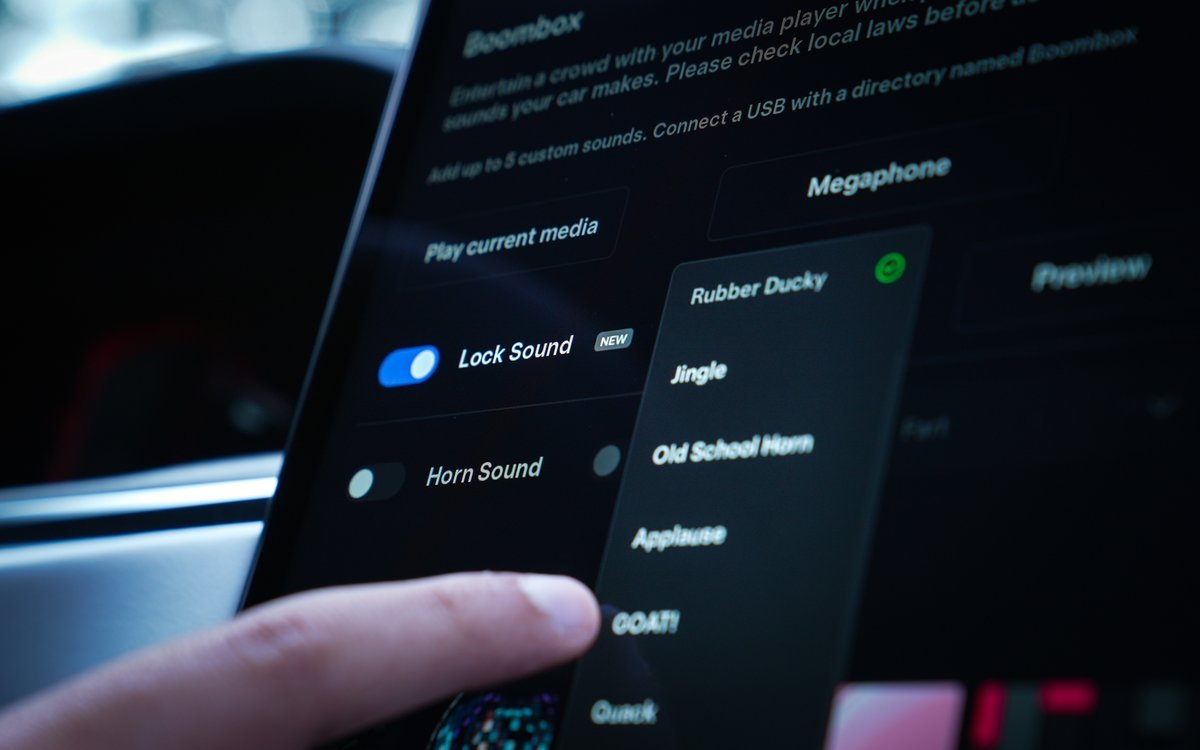
Back in 2023, Tesla added the ability to replace the standard “honk” when locking the car with custom sounds. Owners can choose from pre-loaded sounds like the Light Cycle from the Tron franchise by going to Toybox > Boombox > Lock Sound, or even upload their own via a USB drive.
Other Boombox features allow you to change the vehicle’s horn sound when parked, play music over the external speaker, and more.
Tesla Theater
256GB SSD Drive for Tesla by Jeda
The Jeda 256GB SSD drive custom-made for Teslas. Get $10 off with promo: NotATeslaApp
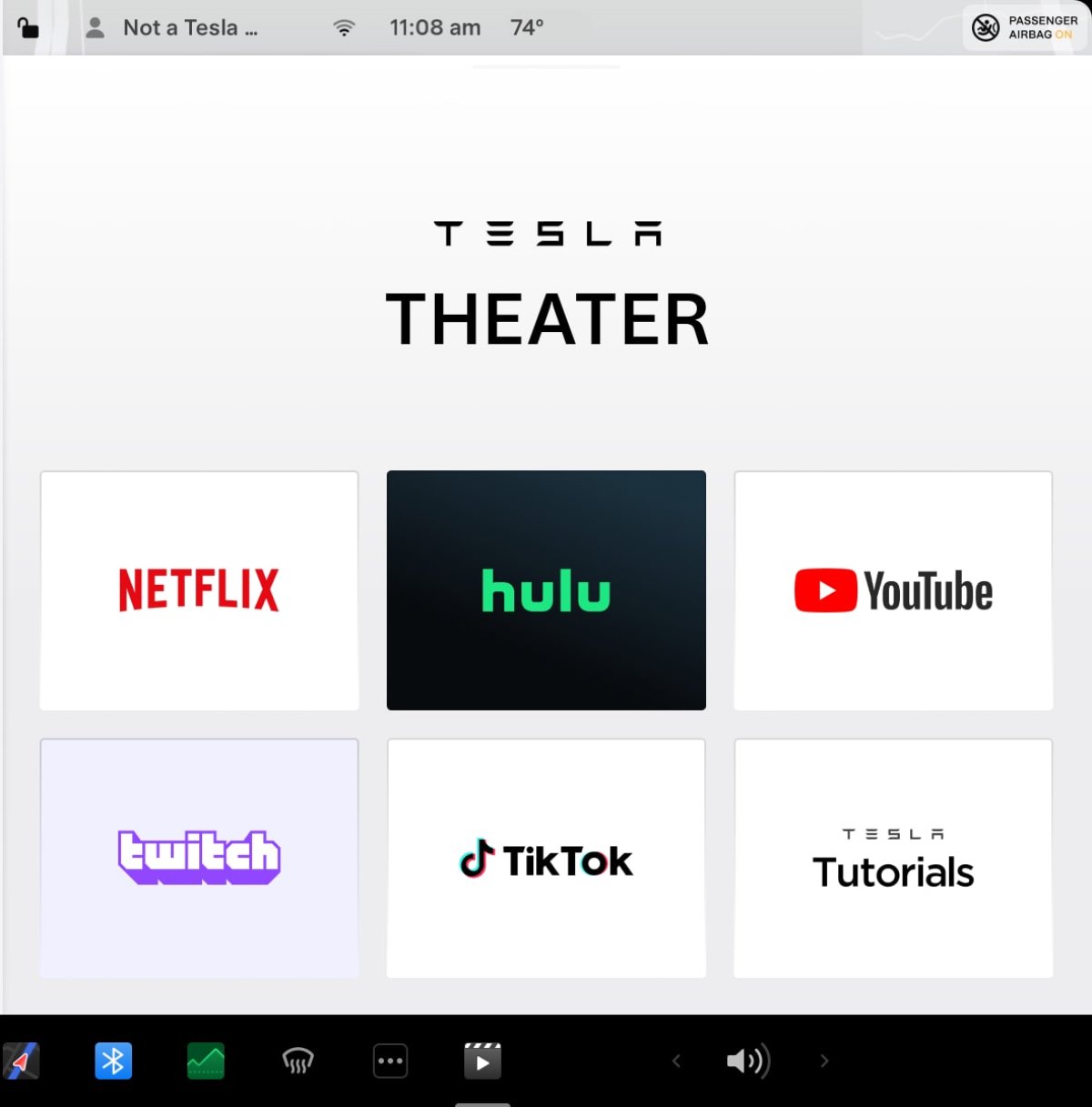
When your car is parked, Tesla wants it to be a lounge. The introduction of Tesla Theater back in 2019 brought apps for Netflix, YouTube, and Disney+ to the center screen. It allows owners to watch their favorite shows or videos while waiting at a Supercharger.
With a little workaround, you can even watch any web streaming service on your vehicle’s rear screen.
Video Games
Tesla Arcade, which started as TeslAtari, initially included classic Atari titles such as Centipede, but has since evolved into a modern video game hub. One of the coolest recent additions is the ISS Docking Simulator, which uses controls based on actual NASA interfaces. Owners can even use the car’s steering wheel to play certain titles. Beach Buggy Racing lets drivers compete on leaderboards at their local Supercharger.
High Fidelity Park Assist
To go along with AutoPark, Tesla also added High-Fidelity Park Assist, which renders the world around you onto the screen. This 3D representation of the world lets you see what the car understands and warns you when you’re getting too close to nearby objects, whether they’re in front of your vehicle or off to the side. Unlike the FSD visualizations, this feature creates its own 3D models that accurately represent the surroundings.
Car Wash Mode

Space X Shirt
Show your support for Space X with this shirt on Amazon
While it’s not difficult to go to a car wash with your vehicle, Tesla made it even easier with Car Wash Mode. This mode automatically disables important features in your vehicle while going through a car wash, like the auto wipers. However, it also makes it easier to put your vehicle in neutral and enables other convenient changes, such as disabling parking chimes and the HVAC system. The vehicle will even warn you if any windows, doors, or the trunk are left open.
Emergency Braking and Collision Avoidance
Tesla often adds safety features before regulators even ask for them. Features such as Automatic Emergency Braking were improved with a software update to respond to perpendicular dangers, such as a vehicle crossing at an intersection or when the vehicle is traveling in reverse.
This was pushed out to virtually the entire fleet, making older cars significantly safer overnight.
Lane Departure Avoidance
Emergency Lane Departure Avoidance used to issue warnings if the car drifted outside of its lane. However, in an update, Tesla added the ability for the vehicle to apply corrective steering and automatically return to its lane. Tesla detects if the vehicle is drifting without a turn signal, and if it’s traveling over 40 mph, it’ll automatically steer the vehicle back into its lane. It has become an additional safety layer that helps prevent accidents caused by driver distraction and fatigue.
Additional Music Services Expansion

Model 3 Glass Roof Sunshade
Prevent excessive sun and heat from entering your Model 3. Check out this custom-made sunshade for the Model 3. Get it on Amazon.
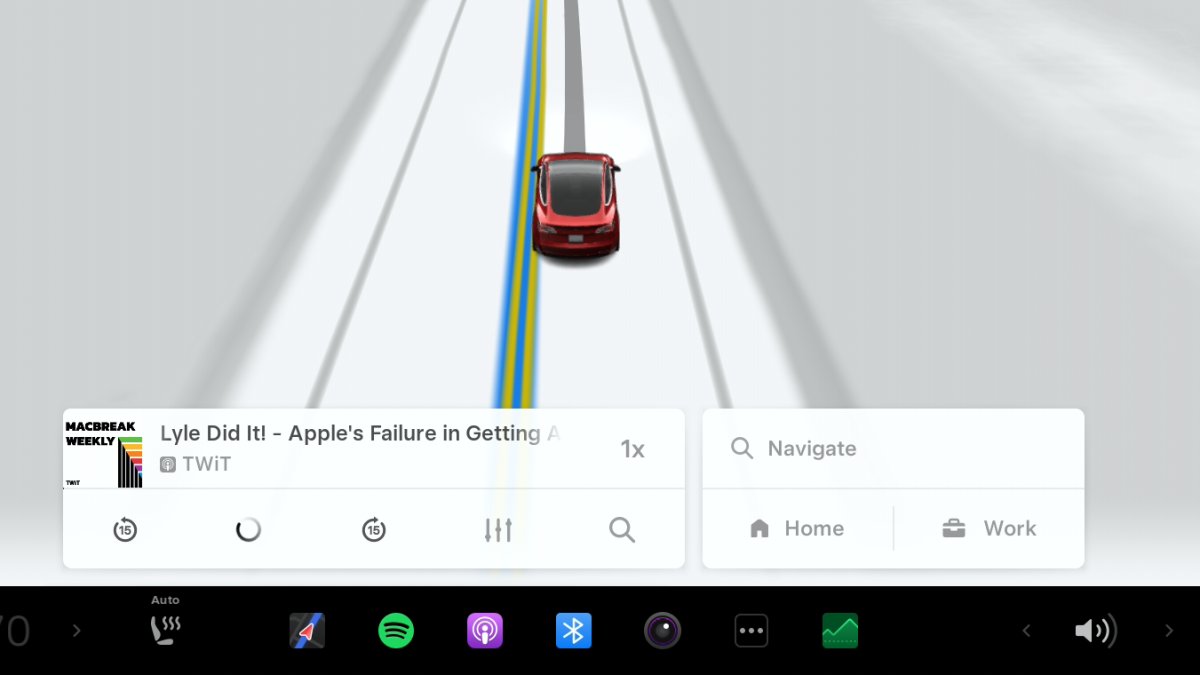
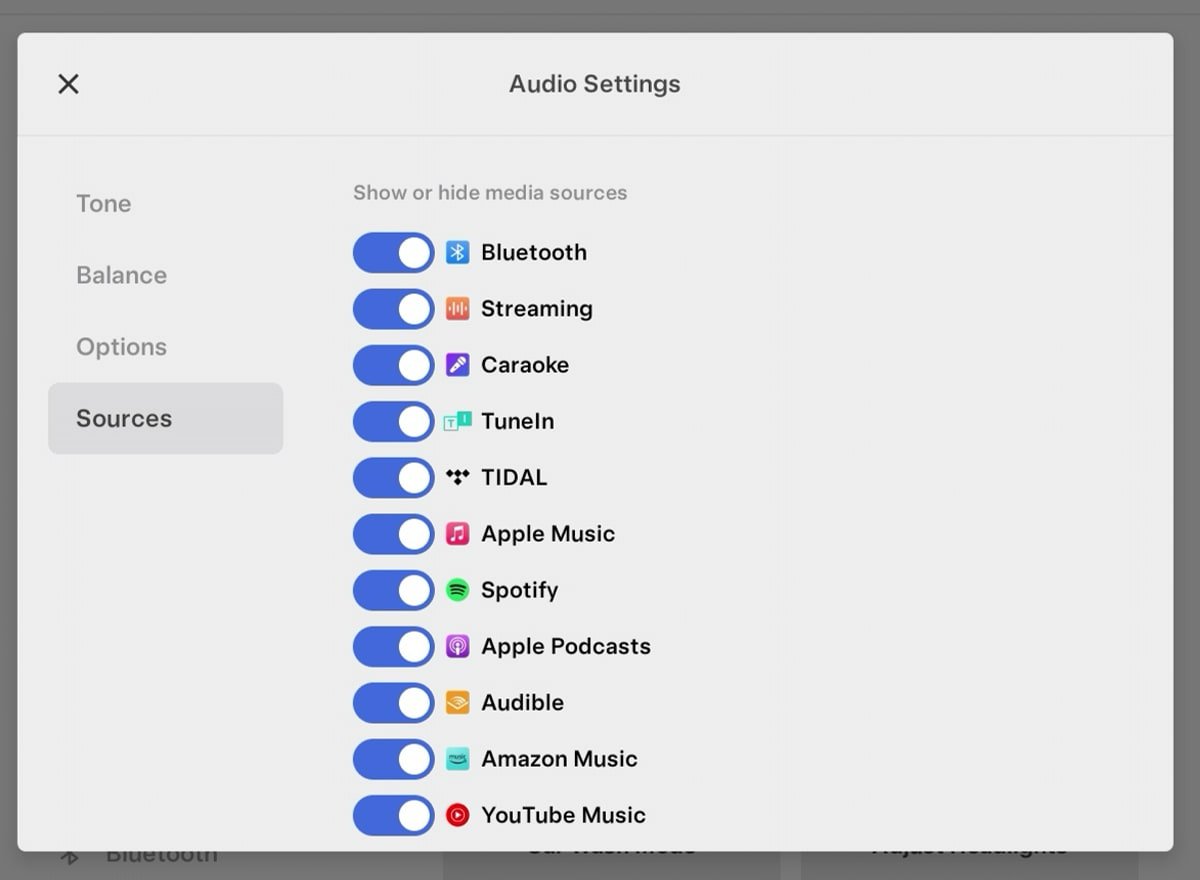
Tesla has significantly expanded its Music Services beyond the original LiveOne option. For any buyers who have had a Tesla for several years, they’ve witnessed Tesla adding a variety of music services, including Spotify, SiriusXM, Apple Music, Amazon Music, and YouTube Music, among others.
Apple Podcasts Integration
Tesla finally brought native Apple Podcasts integration to its infotainment system in 2023. It allows for seamless syncing of your favorite shows and playback progress between your phone and your car.
Grok Voice Assistant
In a major push toward artificial intelligence, Tesla integrated xAI’s Grok chatbot right into its operating system. And, a few software updates later, Grok can now even set and edit navigation destinations and act as a personal guide. You can use natural language to find specific types of stops along your route or easily navigate to your favorite destinations.
Dashcam and Sentry Mode


Tesla Uberturbine Wheel Covers
These Uberturbine wheel covers for the Model 3 and Model Y cost a fraction of new wheels and help improve range.
Sentry Mode uses the car’s external cameras to monitor the surroundings while parked. Meanwhile, the Dashcam feature records footage while driving, which now also includes telemetry like speed and steering angle.
This is an example of a feature that Tesla not only added through a software update but has also continuously improved. Tesla has added vehicle data to the UI, added app support, improved the layout, increased the number of cameras recorded, and more.
Tesla Light Show
For those who want a bit of flair, the Tesla Light Show allows your car to dance to music by flashing its lights and moving its mirrors. While Tesla continues to add new songs with updates, they also let you create your own, custom light show.
Auto High Beams
This feature automatically switches between high and low beams based on detected light and traffic. It prevents the driver from manually turning their high beams on and off.
Adaptive Headlights
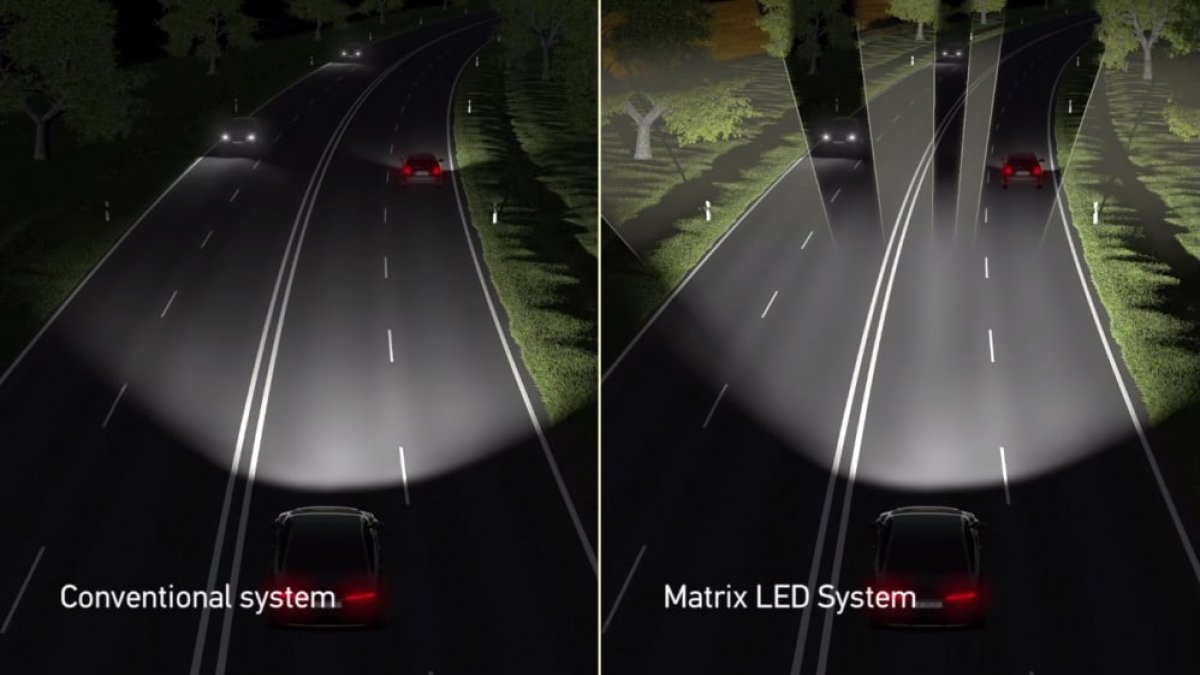
Adaptive Headlights take lighting a step further by keeping high beams on longer and selectively dimming areas with other vehicles. These headlights are made up of an array of pixels, and the vehicle is able to turn off individual light pixels around oncoming vehicles to reduce glare for those drivers, leaving you with an almost entirely lit-up road.
Auto Wipers

No Drilling Required Mud Flaps for Tesla Model 3 or Model Y
Custom-designed, no-drill mud flaps for a Tesla Model 3 or Model Y. Get it on Amazon.
Even basic hardware, such as wipers, has received software-driven upgrades from Tesla. While Tesla’s Auto Wipers aren’t the best in the industry, the company has refined them using neural networks to better detect rain without requiring an additional sensor.
Dog Mode, Camp Mode, and Keep Climate
These climate features allow owners to maintain cabin temperature while parked. Dog Mode keeps pets safe with an on-screen message for passersby. Camp Mode keeps the car powered for overnight stays, while “Keep Climate” simply maintains the temperature while you run a quick errand.
Parental Controls
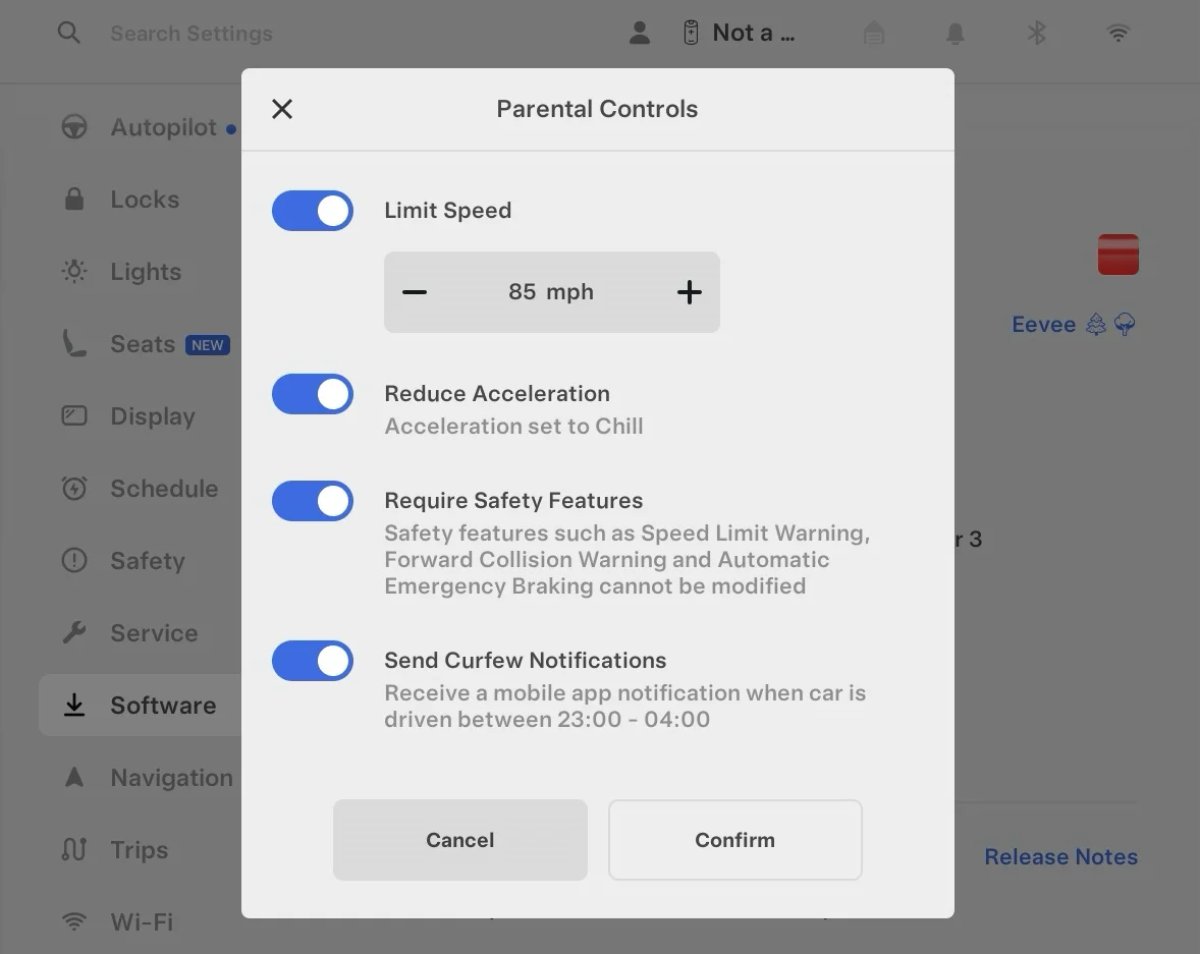
The introduction of Parental Controls allows parents to keep their teens safer by setting a maximum speed limit, reducing acceleration and preventing safety critical features from being turned off.
Valet Mode

Tesla Model 3 Door Handle Wrap Kit (Matte Black and others)
Complete set of 4 Tesla Model 3 door handle vinyl wraps. Each wrap is custom cut with precision for a perfect fit. Get it on Amazon.
Tesla’s Valet Mode keeps your car safer when using valet services. Not only does it prevent hard acceleration and lock the glove box, but it also keeps your personal information safe.
While Valet Mode is enabled, the driver won’t be able to see your home, work, or recent addresses. HomeLink is disabled, your calendar is not available, FSD is disabled, and more.
PIN to Drive / PIN to Open Glovebox
PIN to Drive adds an extra layer of security by requiring a four-digit code before the car can be shifted out of park. This helps prevent theft, even if someone gains access to your phone or key card.
Tesla also added the ability to lock the glove box with a PIN code, making sure any information in there stays safe.
Tesla even changes the placement of the on-screen keypad so that you can guess the PIN code by looking for smudges on the screen.
Weather, Radar Overlay, and Air Quality Index
With one of its 2024 software updates, Tesla brought Weather and Air Quality details directly to the status bar. It shows current local conditions and warns the driver if the air quality outside is poor. Tesla also added a weather radar, letting you follow the storm if you’re on a road trip.
Keeps Getting Better
If you’ve owned your vehicle since the early Model 3 days, you probably saw most of these features come through in a software update. It’s truly amazing how much better the vehicle is than it was when you first bought it.
Through the years, Tesla has proven that a car doesn’t have to stay stagnant. As the fleet moves closer to full autonomy, these free updates continue to redefine what it means to own a vehicle.
Which software update was the biggest “game-changer” for you? Is there a feature you’re still waiting for Tesla to add? Let us know.